
You Asked AI to “Create” Your Website. Here’s What You Actually Got.
 Design vs. development: the house analogy
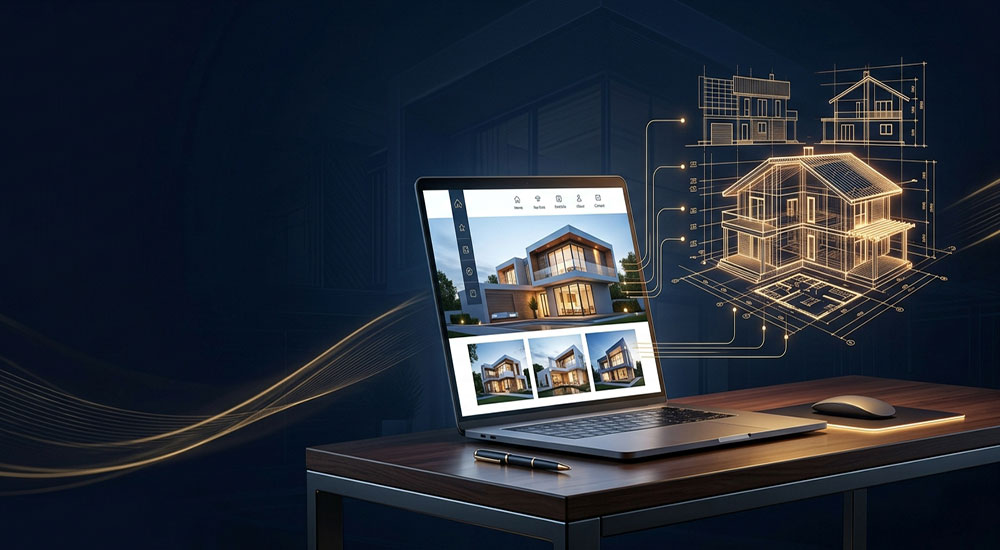
Think of building a house.
- Design is the architect’s drawing. It shows what the house will look like, where the rooms go, and what colour the walls are. You can’t live in it.
- Development is actually building the house: foundations, walls, plumbing, electricity, and a street address so people can find it.
When you ask AI to “design a website,” it hands you the architect’s drawing, usually as a picture, a PDF, or a file sitting on your computer. It looks like a website, but nobody can visit it. It isn’t on the internet, it has no address, and it’s just a file on your PC.
What a real website needs
For a website to exist online, it needs four things:
- The website itself. The code and files that make the pages work: buttons, forms, menus, mobile layout.
- Hosting. A computer that’s switched on 24/7, connected to the internet, where your website lives. Your laptop doesn’t count.
- A domain name. Your address, like yourbusiness.co.za. You rent it yearly from a registrar.
- A way to make changes. Prices change, staff change, and offers change. Someone has to be able to update the site without starting from scratch.
If any of these is missing, you have an idea of a website, not a website.
 Where does an AI-built website live?
You have two broad routes.
Route 1: Developer-style hosting (Vercel, GitHub, Supabase and similar)
If AI generates actual code for you, it can be published through platforms developers use:
- GitHub stores your website’s code, like a safe, organised filing cabinet.
- Vercel or Netlify takes that code and puts it live on the internet.
- Supabase is used when your site needs a database behind it, such as customer logins, bookings, or saved form entries.
These are powerful and often cheap to start with. But they’re built for people comfortable with technical setup: accounts, connecting platforms, deployment settings, and troubleshooting when something breaks. Some AI website builders bundle this process for you, but always check exactly what’s included and who owns the result.
Route 2: All-in-one hosting (Hostinger, and similar providers)
This is the traditional, simpler option. You pay one provider and get your domain, hosting, email addresses, and often a one-click WordPress install. If something goes wrong, there’s a support team to call.
For most small businesses, this route is the safer starting point.
The catch nobody mentions: who makes the changes?
If your site was generated by AI as code, every change usually has to go back through the AI: “Move this section. Change this phone number. Add a new service.” The AI rewrites the code, you replace the old version, and you hope nothing else broke along the way. It works, but you’re always dependent on one tool, one conversation, and one person who knows how to paste the new code in.
Compare that with a platform like WordPress with Elementor. Anyone on your team can log in, click on a heading, type a new one, and hit update. No code, no re-uploading, and no starting over. You also aren’t locked into one AI tool or one person’s workflow.
Neither approach is “wrong.” But they are very different in the long run, so choose deliberately.
The hidden cost: AI will draw things your platform can’t easily build
 This one catches a lot of business owners off guard. An AI-generated design can end up costing more to bring to life than what a traditional designer would have quoted.
A professional designer knows the platform the site will live on. They design within what WordPress or Shopify can do well, so their quote reflects what’s actually buildable. AI doesn’t think that way. It gives you the version you asked for, whether or not that platform can produce it without extra work.
That fancy animated slider, the unusual product filter, the custom booking layout, the pixel-perfect checkout page: all of it looks great in a mockup. But to match it inside WordPress or Shopify, you often need:
- Custom CSS or code written by someone who knows what they’re doing
- Premium add-ons or plugins, which usually come with annual licence fees
- Extra testing, because custom code can clash with themes, plugins, and future updates
Integrations are where it gets more complex. Payment gateways, booking systems, CRMs, email marketing tools, WhatsApp chat, and stock syncing all have to connect to your site and work reliably. Most modern page builders already have many of these built in, tested, and supported. To make an AI-generated design do the same thing, the AI may need to produce a substantial amount of custom code, and someone has to maintain that code, secure it, and fix it when something changes.
Page builders are also adding their own AI features, so you can often get AI-assisted speed inside a platform that already handles the functionality properly. You get the best of both without rebuilding the basics from scratch.
The takeaway: a design that looks simple on screen isn’t always simple to build. Before you fall in love with a mockup, ask what it will take to make it work on the platform you’ve chosen, and what that will cost.
Before you let AI “build” your website, ask yourself
- Do I want a picture of a website, or one that’s live? If you want it live, you need hosting and a domain.
- Who will update it in six months? If the answer is “me, with no technical skills,” choose an editable platform.
- Does it need to do things? Bookings, payments, and logins need proper development behind them, not just a nice design.
- Can my chosen platform build this design as it is? If not, what will the custom work or premium add-ons cost, and what will they cost every year?
- Who owns it? Make sure the domain and hosting accounts are registered in your business’s name.
- What happens when something breaks? Know who you’d call.
The smart way to use AI for your website
AI is a brilliant tool for ideas, layouts, copy, and speed. Using it to explore design directions is a great move, and a good mockup can save hours in the briefing stage.
But treat it as step one. The best results come from combining AI’s speed with a professional who knows how to turn that design into a live, secure, editable website, one that’s hosted properly, loads fast, shows up on Google, and can be updated by you.
The bottom line
If AI gave you a beautiful website that only exists on your computer, you haven’t wasted your time. You’ve done the creative part. The next step is turning it into something real, and doing it in a way that’s buildable, affordable, and easy to manage.Got an AI-generated design sitting on your PC? Send it to us. We’ll review what it will take to build it properly, then rebuild it as a fully hosted, easily editable website, so your business can go live and you stay in control of it.


